
Before we set up ANPR, please make sure the camera is installed according to our recommendations and connected to your account. Then follow these steps:
1. Log into your personal account, go to the ANPR - Settings section. Click Add camera and then choose subscription plan. | 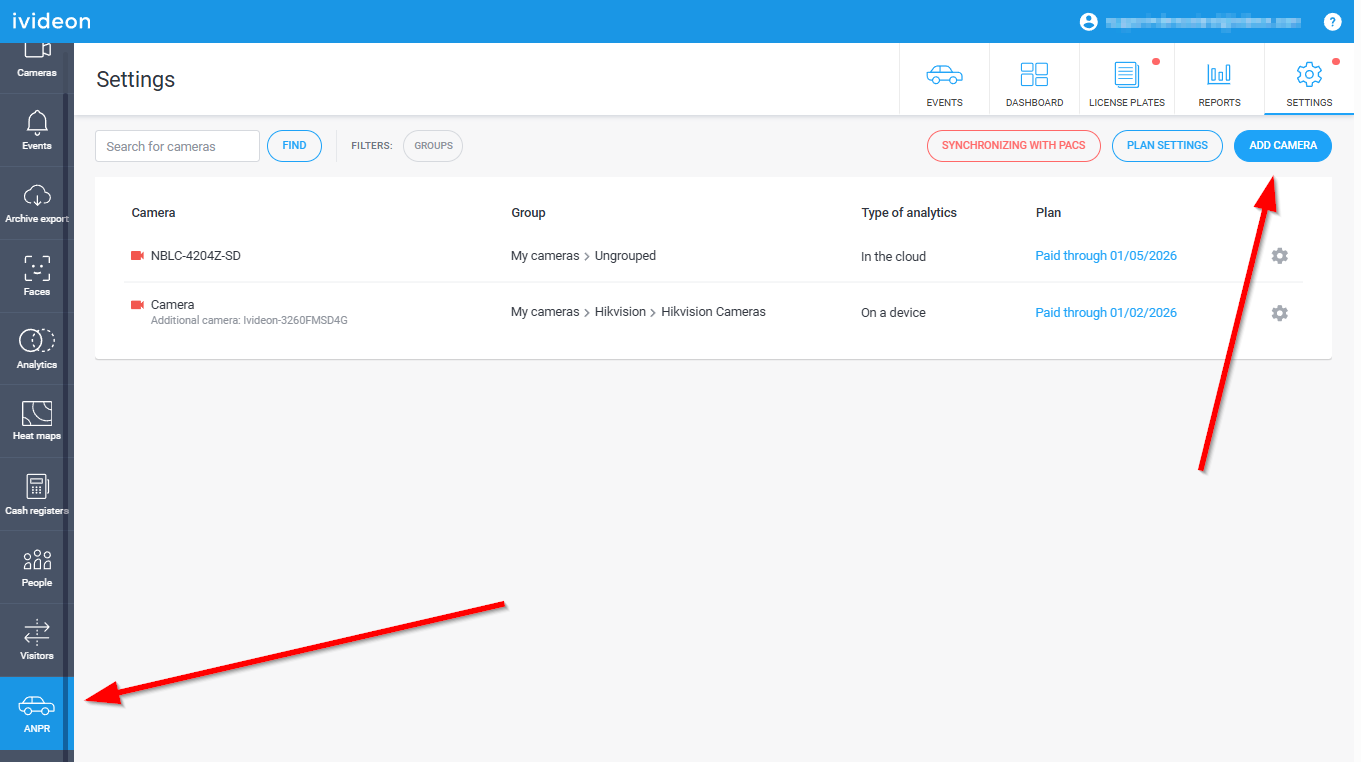 |
2. Select the camera you want to enable the function for and connect one of the available plans:
| 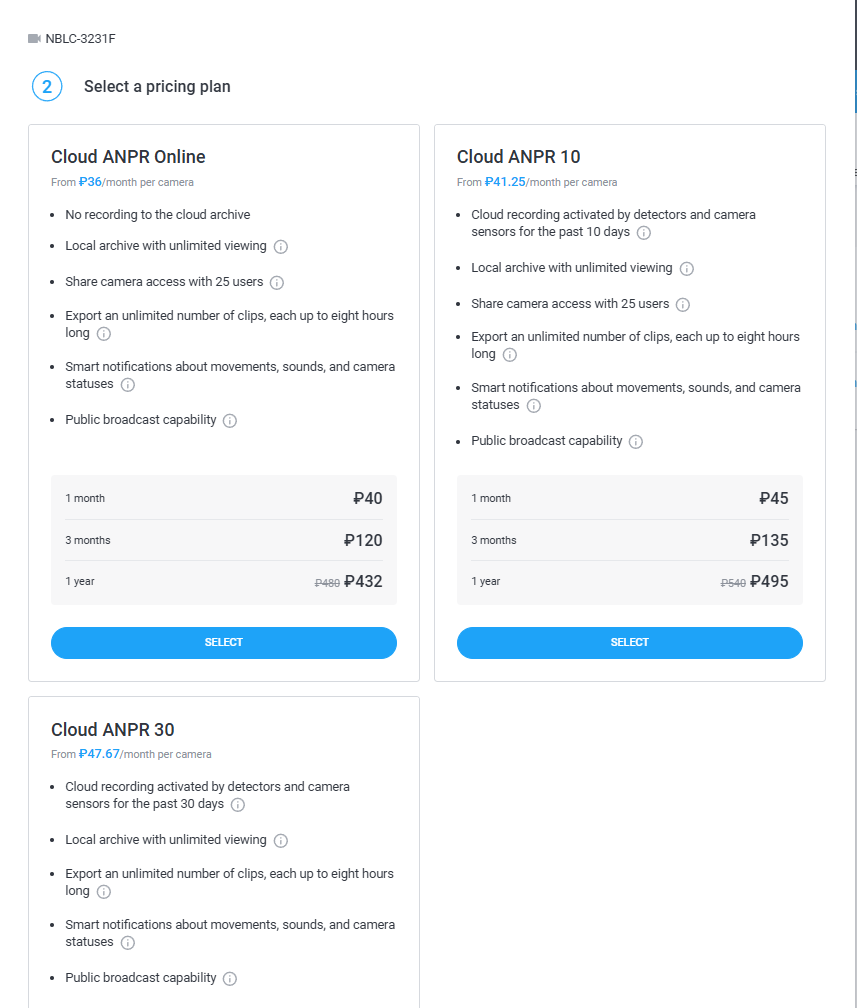 |
Please note! Cloud ANPR plans can be connected to cameras with a built-in analytics module, but for them to work correctly, you need to choose the ANPR, ANPR 10, or ANPR 30 plan.
The next steps will depend on which camera you are using — a special model with a built-in analytics module or another camera (without a built-in analytics module):
- Setting up ANPR for cameras with a built-in analytics module
- Setting up ANPR for cameras without a built-in analytics module