
When viewing your camera remotely, live video may lag 3–5 seconds behind real time. This delay is normal.
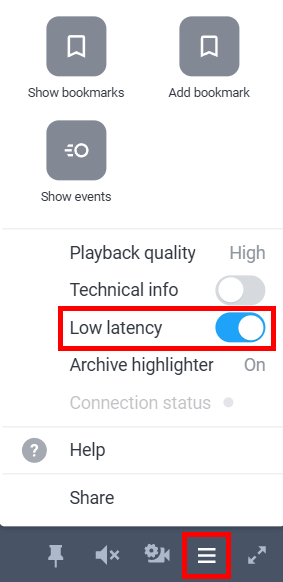
If the delay exceeds 5 seconds, try enabling Low latency mode (available only in the Ivideon personal account). To do this:
1. Open the camera for viewing in your personal account. 2. Click the settings button (three lines) in the bottom right corner and toggle the Low latency switch on.
|
 |
If Low latency mode does not help, we recommend checking the internet connection speed at both the camera's location and the viewing location.
If none of the above recommendations resolve the issue, please contact us for further diagnosis.