
This guide explains what add-on (additional) services are, how they work alongside your main subscription, and the restrictions that apply. You'll also learn how to add, manage, or remove them via your personal account or mobile app.
In addition to the core package included in each subscription plan, you can connect add-on services to your cameras. The list of available services depends on the specific plan.
You can do this either when activating the plan or at any time afterward. Add-ons can also be disabled at any moment, while the main subscription remains active.
The following restrictions currently apply to add-on services:
- The main plan must be paid. Add-ons are not available for free or trial plans.
- The plan must be paid for with real money. Add-ons cannot be added to prepaid plans (those automatically activated when connecting a camera) or to plans activated with a license code (except for license plans intended for pick-up points).
You can add services:
- At the plan selection stage — via your personal account.
- Anytime after the plan is activated — via your personal account.
Managing add-ons via personal account
1. In the Cameras section, click the settings button (three dots) under the camera preview and select Pricing plan. | 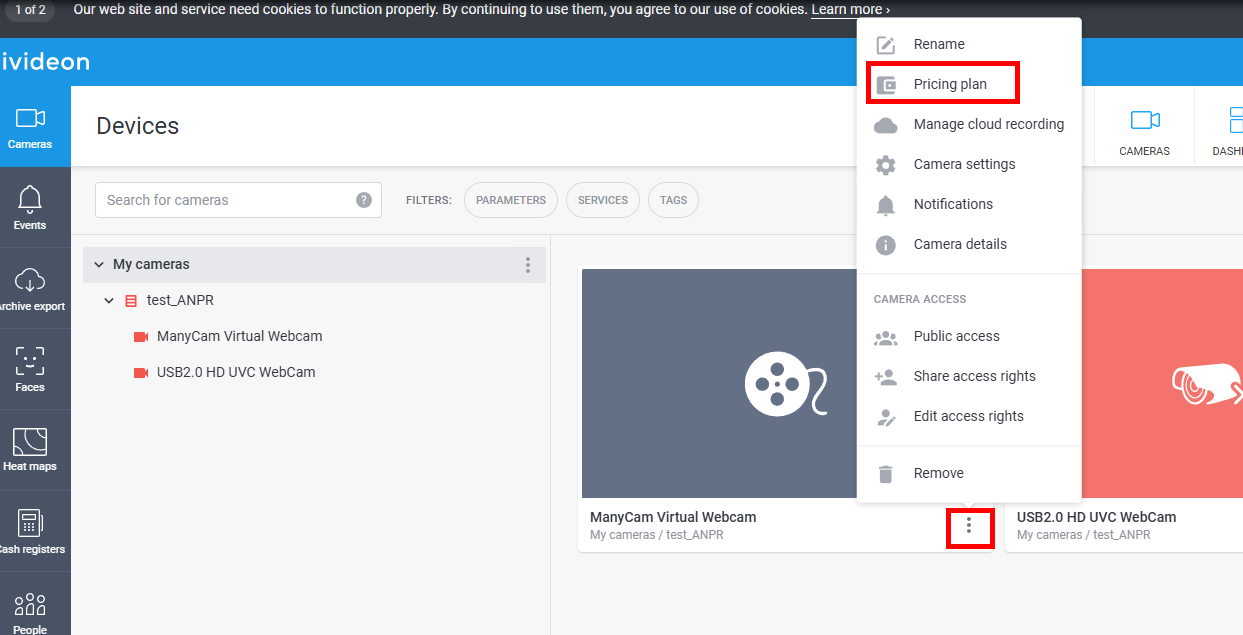 |
2. In the window that opens, under Additional services , click Configure. | 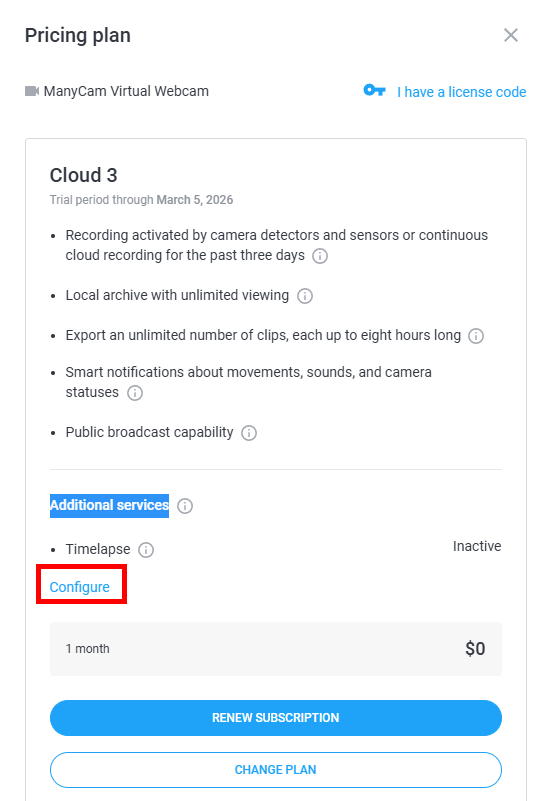 |
3. Select the services you need and click Continue. Then pay for them using one of the available methods. Please note! The add-on service validity period is tied to your main subscription term. This means that when you first add a service, its cost is calculated based on the number of days remaining until your current main plan expires. The service fee is then included in the total amount due when you renew. You can disable or change add-ons at any time. When you disable one, funds for the unused days will be refunded to your account balance. | 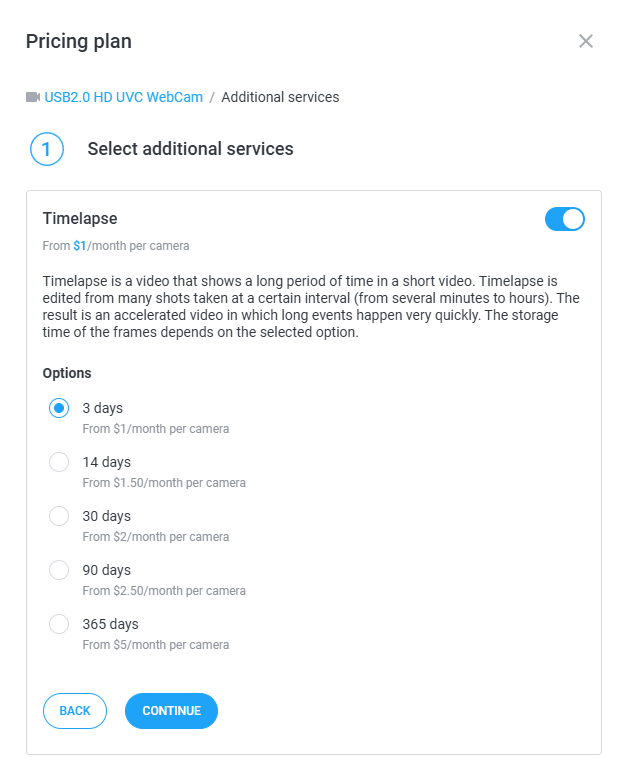 |