
This guide explains how auto-renewal works for your subscription plans. You'll learn which payment methods support it, how to enable or disable the option, what happens when renewal succeeds or fails, and how to manage linked cards.
- What is auto-renewal (recurring payments)?
- Which payment methods support auto-renewal?
- How to enable or disable auto-renewal?
- Emails about subscription expiration and auto-renewal.
- How does auto-renewal work?
- What if auto-renewal fails for some reason?
1. What is auto-renewal (recurring payments)?
This option automatically renews your camera's subscription plan when the current paid period expires. If enabled, a few days before expiration, funds are charged:
- From your account balance (if sufficient funds are available);
- From a bank card linked to your account (if your balance has insufficient funds).
A bank card becomes linked when you don't uncheck Save card during payment | 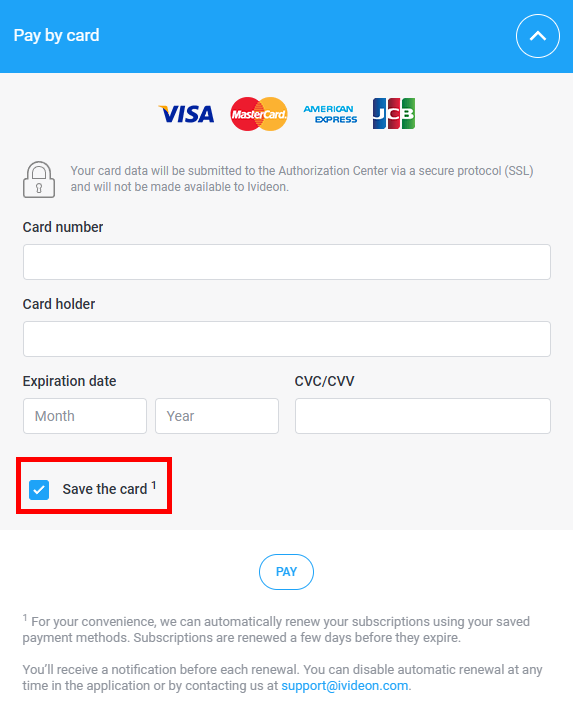 |
You can check which cards or accounts are linked — and unlink them if needed — in your personal account under Billing → Saved payment methods. You can delete some saved cards if needed. | 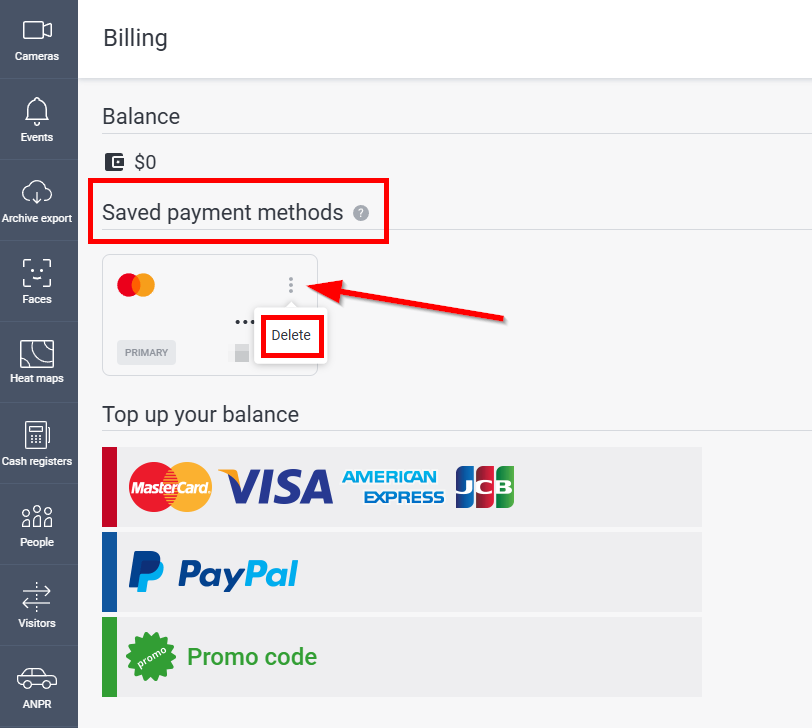 |
2. Which payment methods support auto-renewal?
Auto-renewal is currently available for bank cards only. It is not supported for other payment methods.
3. How to enable or disable auto-renewal?
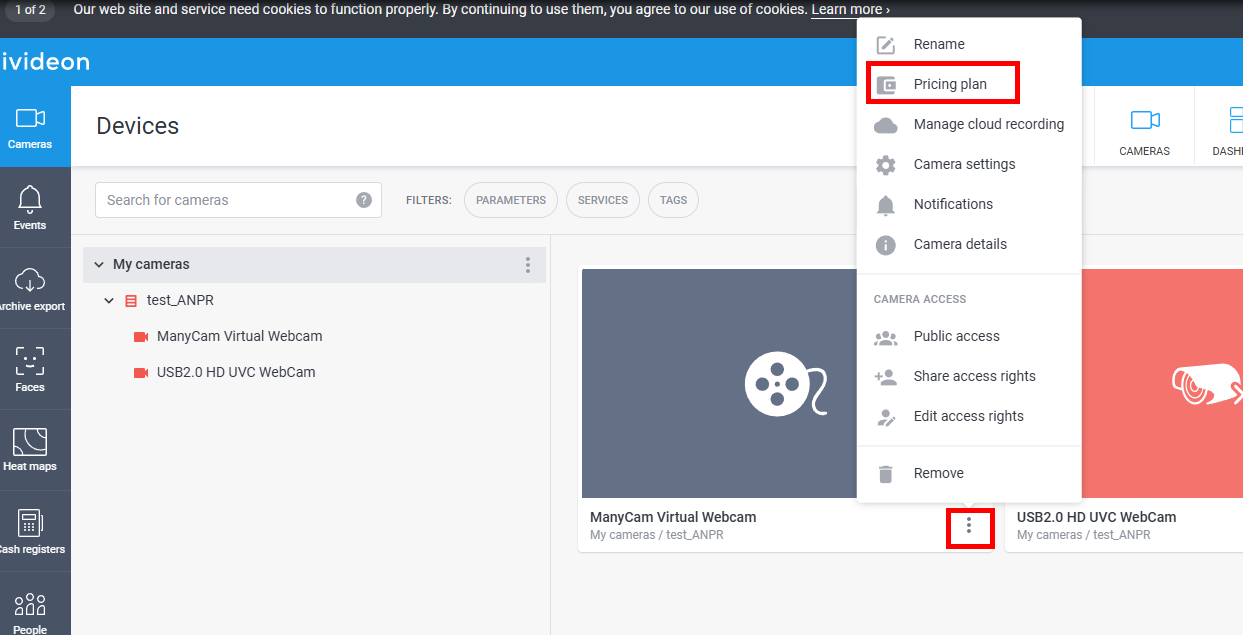
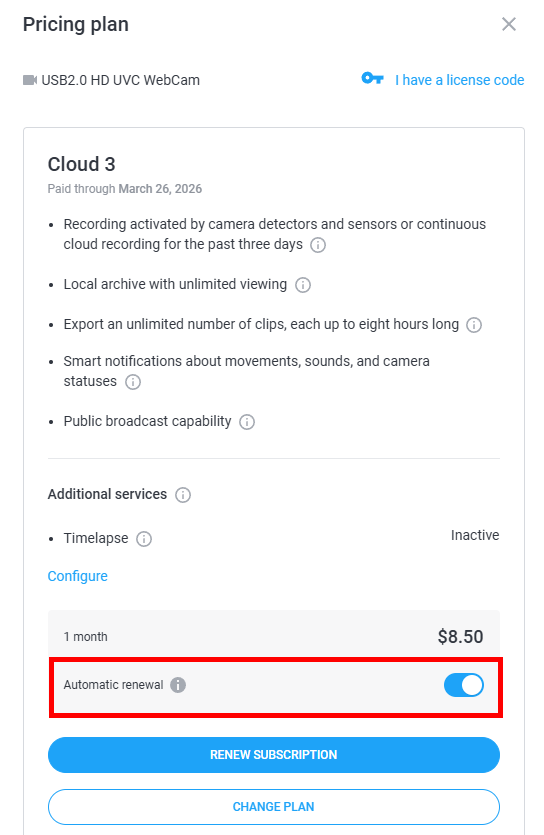
Auto-renewal is enabled by default for every new plan. You can change this setting for a specific camera in your personal account under Pricing plan:
 |  |
4. Emails about subscription expiration and auto-renewal
An email is sent when any camera on the account has a plan expiring within 10 days. The list also includes all other cameras whose plans expire within 10 days after that camera's expiration.
Example:
On 02.01, you have:
- Camera 1: expires 12.01
- Camera 2: expires 13.01
- Camera 3: expires 14.01
- Camera 4: expires 22.01
Cameras 2, 3, and 4 fall within the "+10 days" window, so they are included in the email notification.
The email shows the total payment amount for all cameras meeting this condition.
You can check exact expiration dates anytime in your personal account under My Services.
When auto-renewal happens, a confirmation email with details is also sent to the email address of your account.
5. How does auto-renewal work?
1. 3 Days before the earliest plan expires, all eligible plans are renewed (using the same plan and same duration).
Eligibility follows the same "+10 days" rule described above.
Example:
If Camera 1 expires on 12.01, renewal is attempted on 09.01.
Cameras 2, 3, and 4 (expiring 13.01, 14.01, 22.01) are also renewed on 09.01.
2. Ivideon first checks your account balance. If funds are insufficient, the remaining amount is charged from your linked card.
3. If multiple cards are linked and the first attempt fails (e.g., payment system error), Ivideon will try each linked method in turn.
6. What if auto-renewal fails for some reason?
If auto-renewal fails (insufficient balance, card issues, bank or gateway errors, etc.), an email notification is sent to your account address.
The system will retry every 2 days until one of the following happens:
- The camera is successfully paid for;
- Funds become available on the card or balance;
- The plan is manually disconnected;
- The plan's validity period fully expires.