
All transactions related to service payments (connecting or disconnecting plans, adding funds to your balance, or debiting payments) are displayed in Billing → Transaction history. This section is available both in your personal account and in the Ivideon mobile app.
- How to open Transaction history in your personal account
- How to open Transaction history in the mobile app
- Transaction history filters
1. How to open transaction history in your personal account
1. Click your account email in the top-right corner of the personal account page and select Billing from the drop-down menu. | 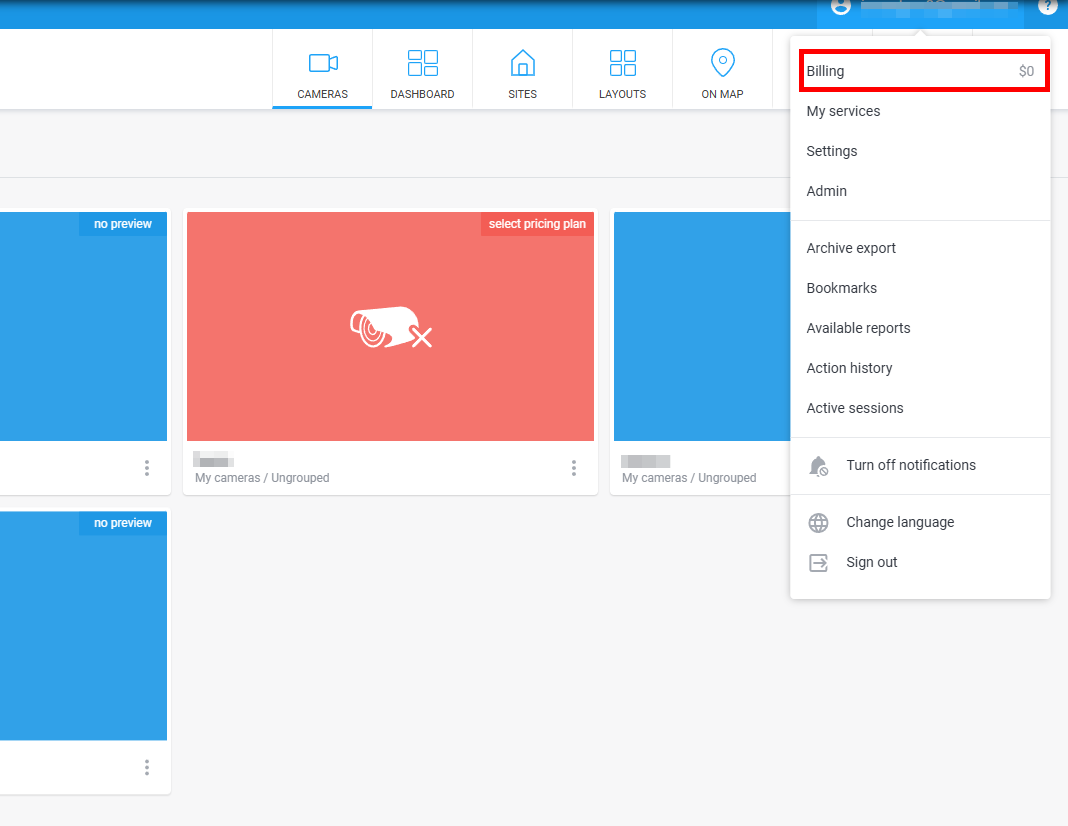 |
2. Open the History menu in the top-right corner of the section. | 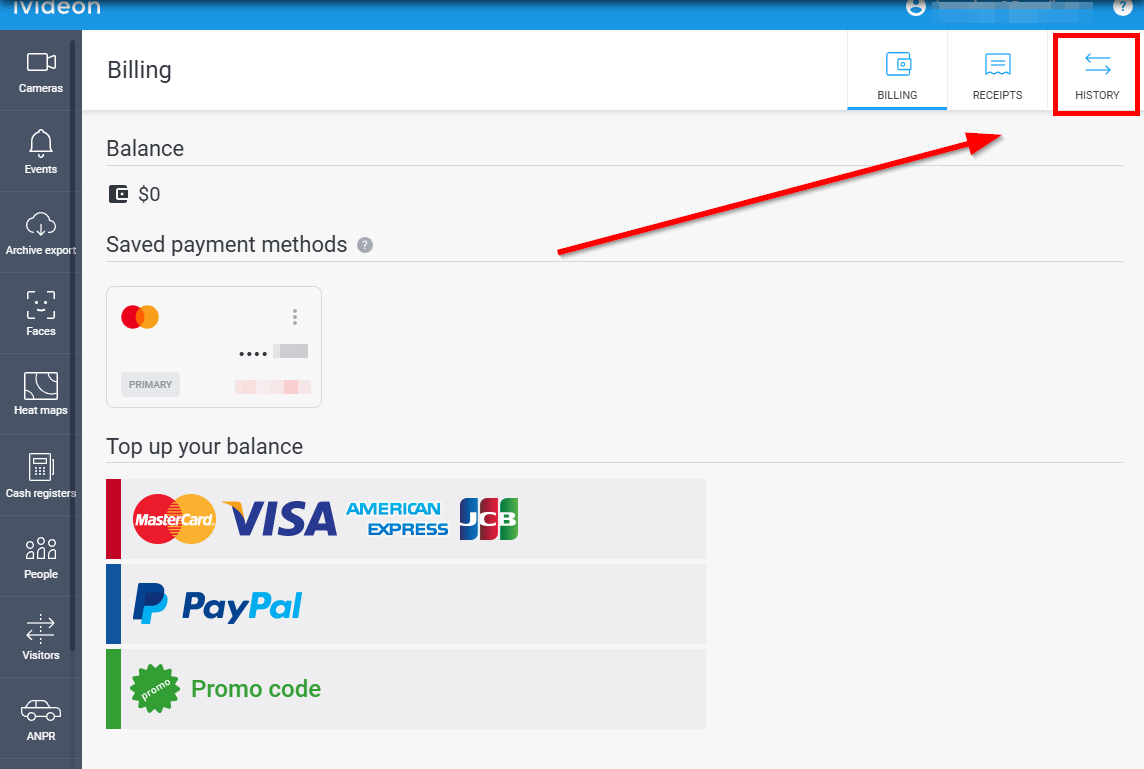 |
2. How to open transaction history in the Mobile App
1. Go to the Menu tab - Account - Open my personal acccount. You will be redirected to your personal account in a web browser. 2. Open your account settings in the top-right corner of the personal account page. | 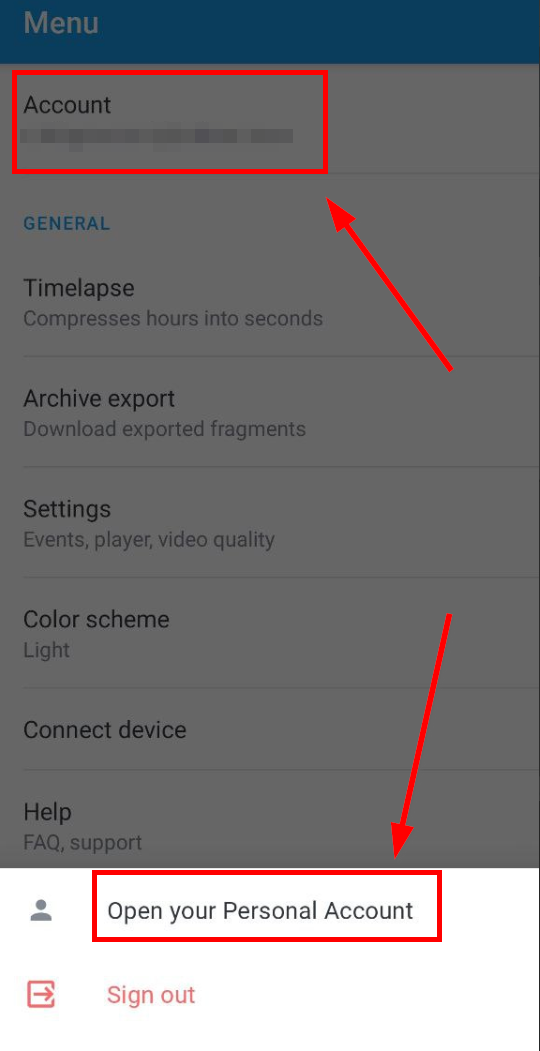 | 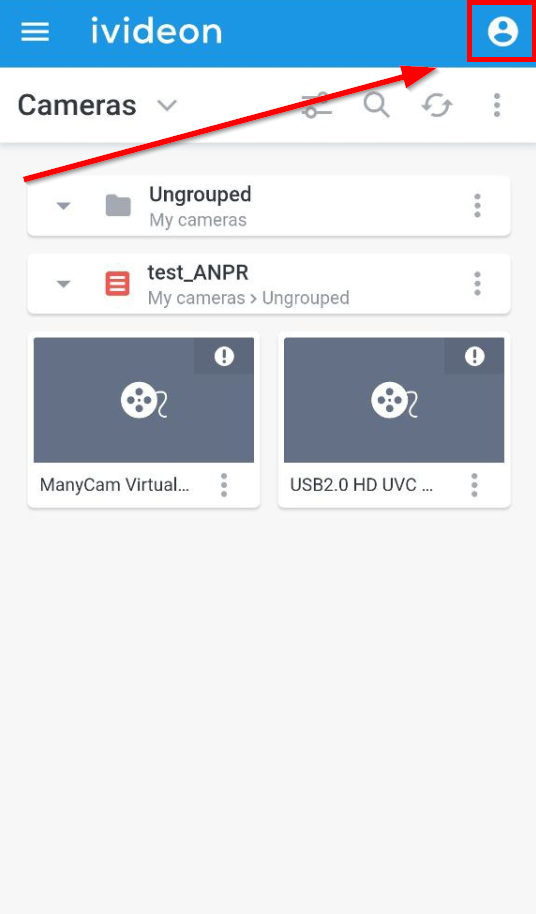 |
2. Open Billing section the drop-down menu at the top - History. | 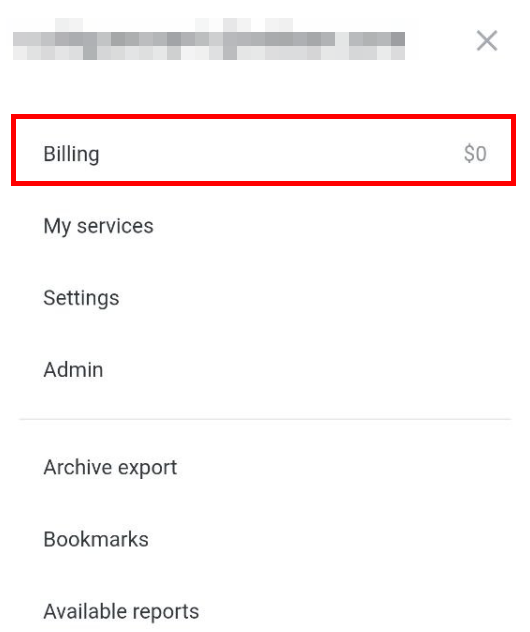 | 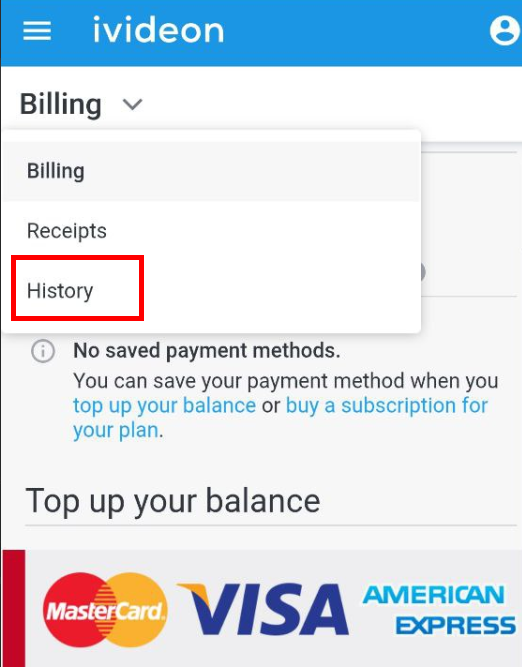 |
3. Transaction history filters
This section includes several convenient filters to help you quickly find the information you need. You can combine these filters:
1. Period filter — select a specific date or date range to view all transactions made during that time. | 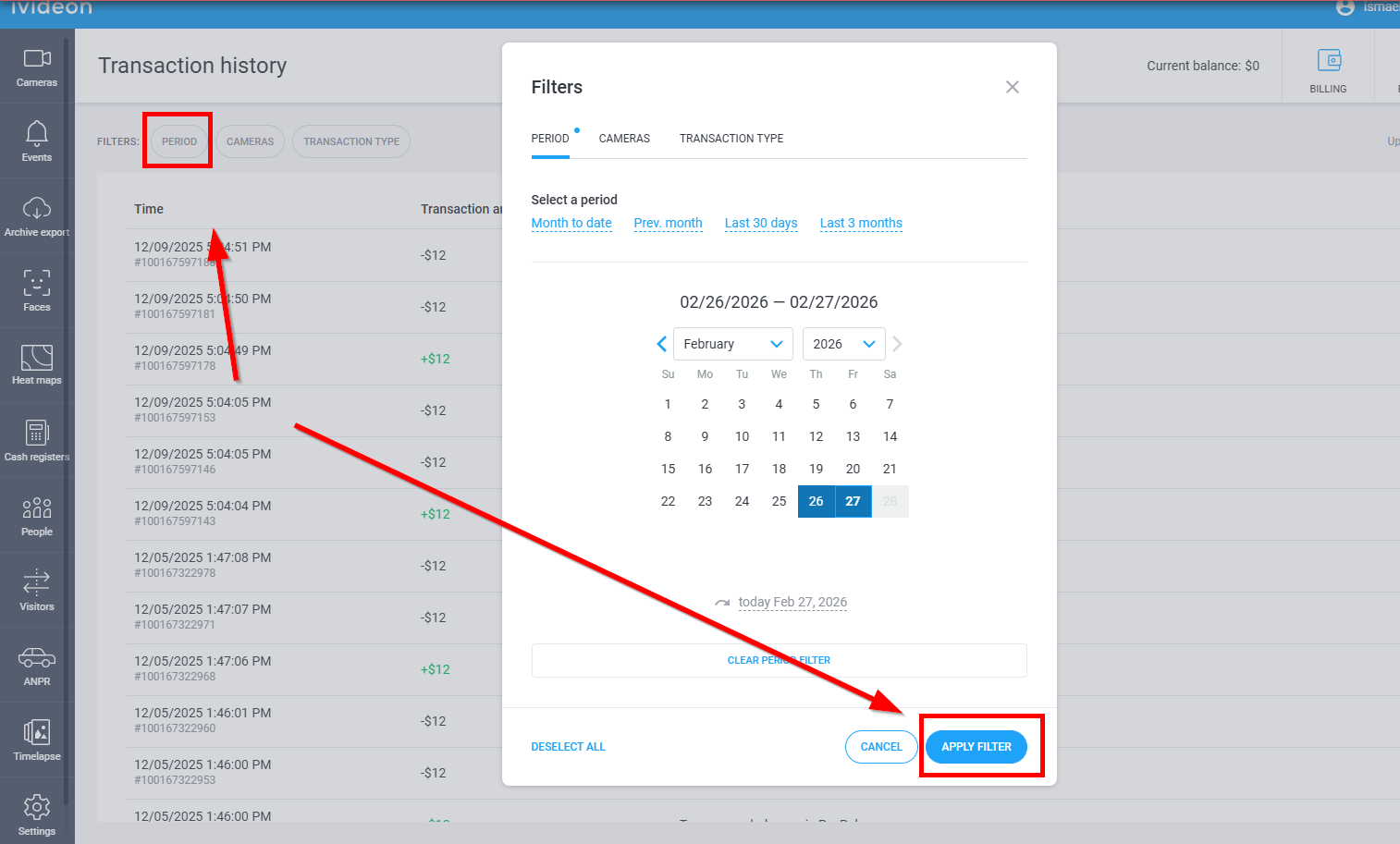 |
2. Cameras filter — select one or more cameras from your account to view all transactions related to specific devices. | 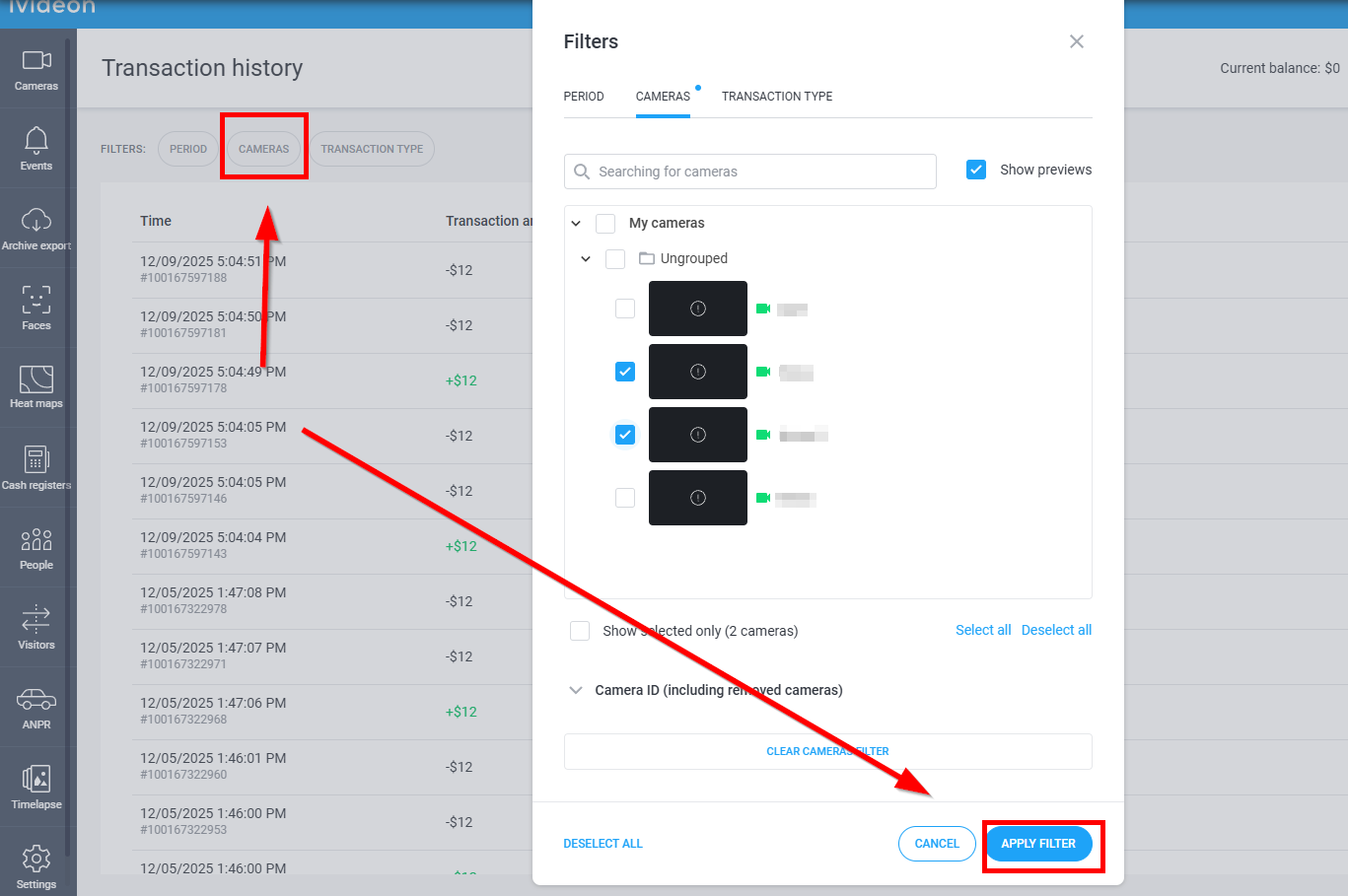 |
3. Transaction type filter — filter by specific transaction types (e.g., account top-ups or activation key purchases for cameras). | 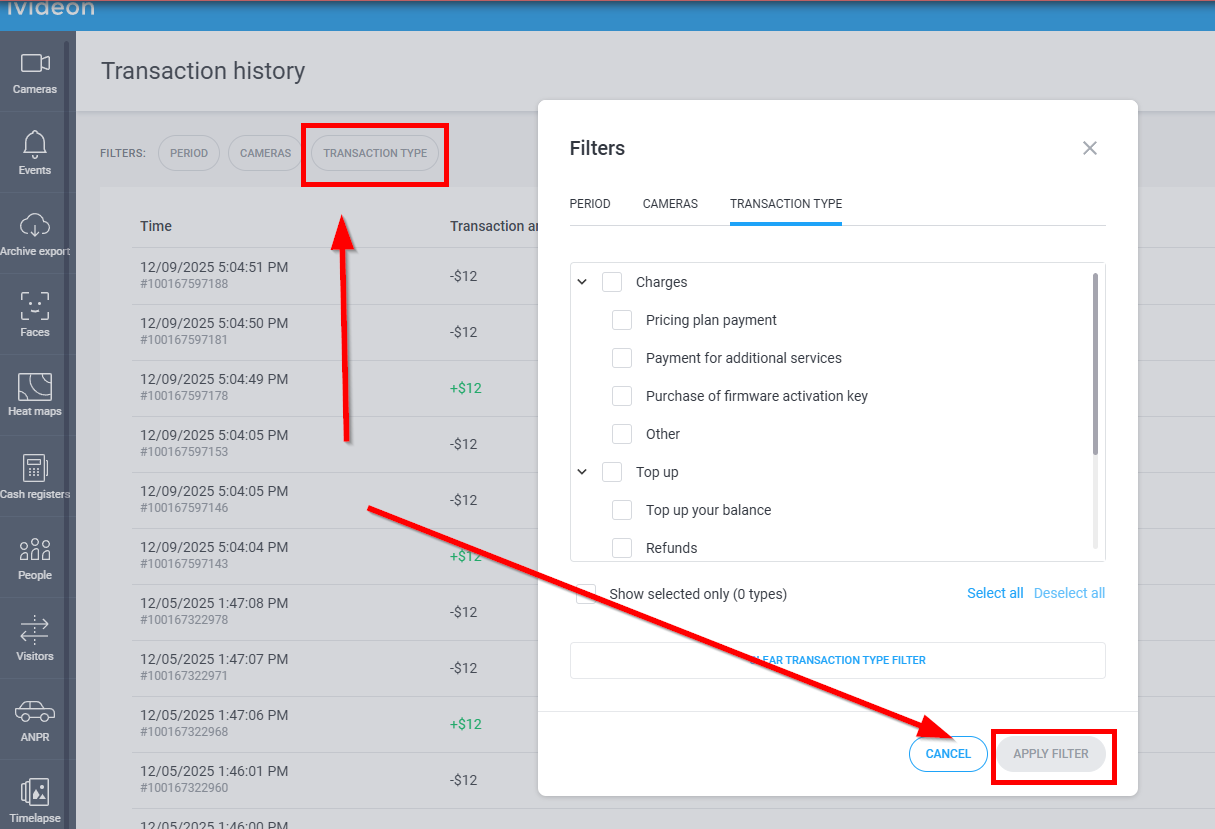 |